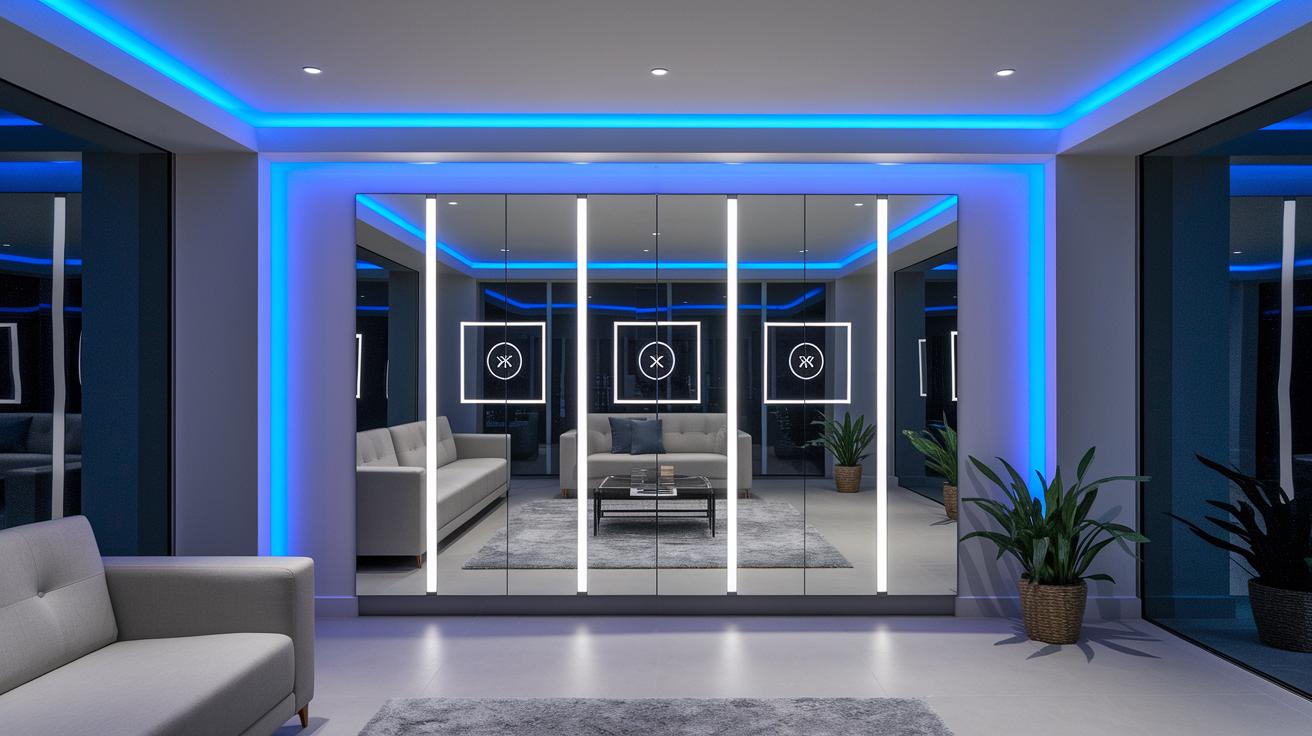

Ever thought your mirror could do more than just show your reflection? Smart mirrors blend everyday usability with nifty digital features to give your routine a fresh twist. Imagine glancing at your calendar, weather, or the latest news right on your mirror as you get ready for the day. It's like having a personal assistant that not only keeps you in the loop but also adds a stylish upgrade to your space. This blog dives into how smart mirrors seamlessly boost both the design and functionality of your home.
Smart Mirror Overview: Reflective Display Meets Technology
Imagine a mirror that does more than just show your reflection, it’s got a digital twist built right in. With a smart mirror, you're looking at a modern gadget that blends the everyday use of a mirror with a discreet, high-tech display. It gives you real-time updates, like weather forecasts, news, or even your calendar, all while you finish your morning routine.
This isn’t just any vanity mirror; it’s a style upgrade for your bathroom or dressing area. Think of it as a personalized assistant that reflects your schedule, tracks your fitness progress, and even streams your favorite shows for a quick break. Ever wondered what it would feel like to see your day’s events while brushing your teeth? It’s as smooth as checking your phone, only more integrated.
Key functions include:
| Feature | Description |
|---|---|
| Calendar Display | Shows your appointments and reminders at a glance. |
| Real-time Weather Updates | Keeps you notified on current conditions and forecasts. |
| Traffic & Commute Alerts | Offers live updates for a smoother journey. |
| News & Podcasts | Delivers headlines and audio content to catch you up. |
| Media Streaming | Access entertainment like Netflix, right from your mirror. |
| Fitness Tracking | Displays data from your workout routines for quick reference. |
| Voice Command Interaction | Allows hands-free navigation for effortless use. |
| Customizable Dashboard | Lets you pick and choose which modules matter most. |
It’s not just a mirror, it’s a compact hub for your smart home that makes daily tasks easier and a bit more fun. Whether you’re prepping for work or winding down in the evening, this smart mirror combines technology and convenience in a way that feels both futuristic and wonderfully natural.
Comparing Commercial and DIY Smart Mirrors

When it comes to smart mirrors, you’ve got two great routes to add a dash of futuristic flair to your bathroom. Commercial smart mirrors offer an easy plug-and-play experience, while DIY versions let you get creative and customize every detail to suit your vibe.
Commercial Smart Mirrors
Commercial options roll out as all-in-one units that combine sleek frames, crisp displays, and ready-to-go software. They’re designed to be installed with minimal effort, even coming with warranty support for added peace of mind. In short, they’re perfect if you want to upgrade your bathroom with a high-tech mirror that just works right out of the box.
DIY Smart Mirrors
If you love a hands-on project, a DIY smart mirror might be your style. Using tools like the Raspberry Pi 3 Model A+ (a compact mini-computer that packs a punch) and platforms like MagicMirror2, you can tailor everything to your exact taste. These projects often involve a little tinkering, from removing monitor bezels to installing LED strips and crafting a custom frame with pocket-hole screws. The result? A gadget that not only saves you money but also feels uniquely yours.
In the end, your choice between commercial and DIY smart mirrors comes down to whether you value convenience or the thrill of personal creativity. Either way, you’re set to transform your space into a stylish, tech-savvy haven that reflects your personality.
Essential Smart Mirror Features to Evaluate
Smart mirrors these days are so much more than just reflective surfaces, they’re like a personal tech assistant right in your home. They blend a vivid, clear display behind two-way glass with interactive features that keep you informed and entertained without missing a beat in your daily routine.
- Voice assistant integration (think Google Assistant or Alexa) lets you control settings and fetch updates with simple voice commands, giving you a truly hands-free experience.
- A capacitive touchscreen design offers an intuitive, responsive interface while still serving as your everyday mirror.
- Customizable LED under-lighting sets the perfect mood or boosts your visibility whenever needed, creating an ambiance that feels just right.
- Built-in fitness and health data tracking shows your workout stats or daily health metrics, helping you stay on top of your progress in a very interactive way.
- Bluetooth audio support turns your mirror into a mini audio hub, enjoy your favorite music or podcasts as you get ready in the morning.
- Wireless screen casting lets you effortlessly mirror content from your phone or tablet, serving up notifications or entertainment on a dynamic display.
- Mobile app-based module management gives you the freedom to rearrange and customize on-screen features to match your personal style and needs.
In short, exploring these smart mirror features can help you pick one that syncs perfectly with your lifestyle. Whether you’re glancing at the weather or diving into a full multimedia experience while getting ready, the right smart mirror can transform everyday routines into a more interactive, connected journey.
Smart Mirror Buying Guide: Specs and Recommendations

When you're choosing a smart mirror for your home, think about the size and display quality first. Most screens range between 24 and 43 inches, and you’ll want one with brightness levels over 300 nits so everything is clear, even in bright bathrooms. A high contrast ratio really helps the text pop against the reflective backdrop, creating a seamless blend of form and function right on your wall.
Next up is power. Typically, you’ll find that smart mirrors use separate power supplies, one USB-C connector for the screen and a micro USB for the computing board. Or, if you prefer simplicity, you can snag a multi-output adapter that meets the power needs of both components. It’s a setup that ensures each part, from the efficient display to the smart back-end, gets plenty of juice, kind of like plugging in your smartphone overnight.
Finally, balance your budget with the features you want. Prices generally fall between $500 and $1,000 or more. Your investment covers design elements like the frame that complements your décor, software licensing fees, and any extra modules for integrating services like Google Assistant. Ultimately, it’s all about finding a mirror that not only works flawlessly but also adds a chic, modern accent to your space.
Integrating Smart Mirrors with Home Automation Systems
Smart mirrors aren’t just for checking your reflection anymore, they’re smart companions that blend beautifully with your home tech. Many of these mirrors come loaded with built-in microphones and Wi-Fi, so you can adjust lighting, check calendar events, or even play your favorite tunes with just a simple voice command. And if you feel like getting into the nitty-gritty, you can even access deeper settings via SSH to tweak modules that deliver weather updates, news, or schedules, all secured with proper API keys.
Google Assistant Integration
For a more interactive setup, you can link your mirror’s firmware to a Google Cloud project. Once that’s done, your mirror responds to voice commands that help you check your schedule, set reminders, or manage smart devices like your thermostat and lights. Imagine saying, "Show my schedule," and watching as your mirror instantly displays your day’s agenda. It’s designed to make your routine feel as smooth as your morning coffee.
Amazon Alexa Integration
If Alexa is more your style, just install the Alexa skill on your mirror and pair it up using the Alexa app. With Alexa on board, you can easily say things like "Alexa, play my morning briefing" or "Set the lights to cool mode," and enjoy hands-free control over your connected devices. This clever approach turns your mirror into a responsive, voice-enabled dashboard that keeps everything in sync.
In short, this connected setup transforms your mirror into an intelligent hub that not only elevates your home’s design but also makes everyday tech tasks effortlessly efficient.
DIY Smart Mirror Hardware Options & Assembly Steps
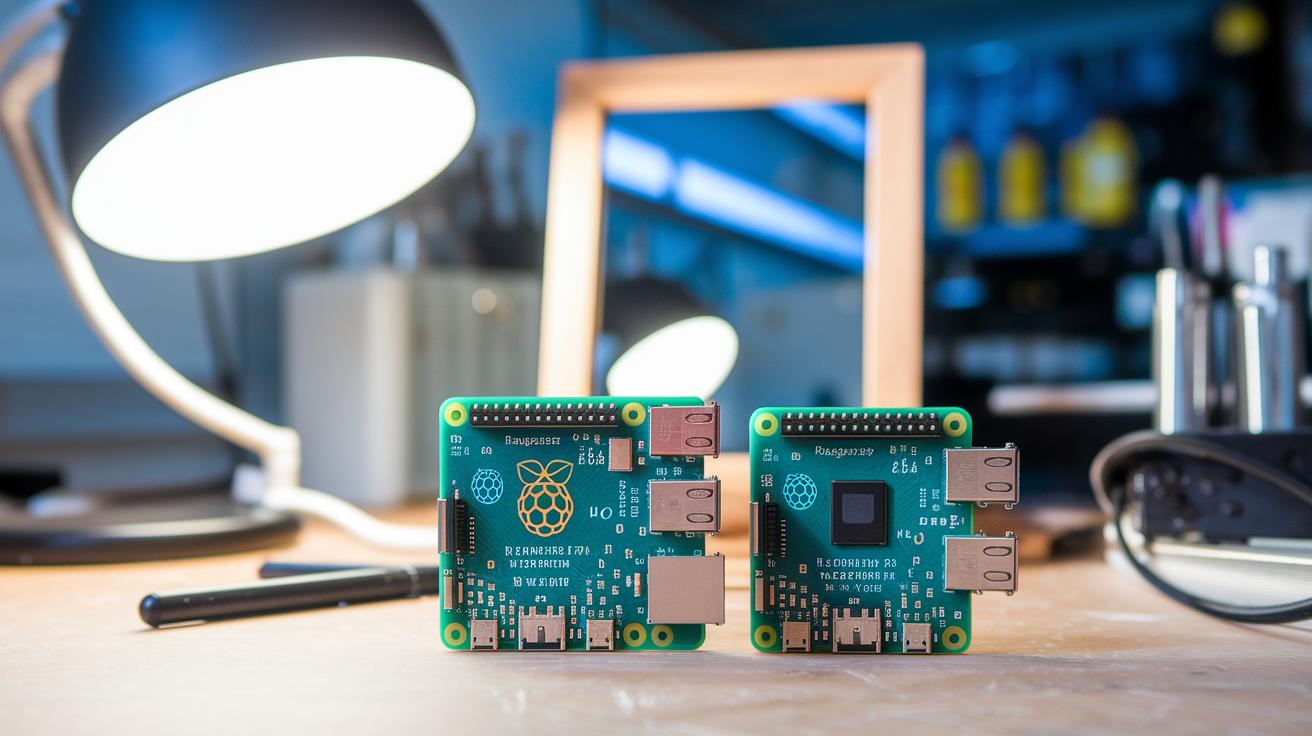
Choosing the right processing board sets the stage for your DIY smart mirror project. The Raspberry Pi 3 Model A+ is perfect if you're going for a neat, compact design, it features a slim profile and micro USB power, making it a breeze for tight spaces. But if you crave a smoother interface and are okay with a slightly larger build (and a few extra M3 20 mm standoffs), the Raspberry Pi 4 Model B might just be your ideal match. Switching from one board to the other doesn't just tweak performance, it can completely transform your smart mirror experience.
When it comes to building the frame, think precision and style. Opt for an A3-sized two-way mirror paired with black acrylic for that sharp, modern aesthetic. By drilling eight 3 mm mounting holes exactly 15 mm from every edge, you'll create a perfect blend between the display and the reflective surface. Add in scrap plywood strips, pocket-hole screws, and a nicely routed groove to house LED strips, and you’ve got a frame that’s both practical and visually appealing.
Now, let’s talk display integration. Using a 90° HDMI cable helps keep things tidy by letting the connection lie flat against the monitor, say goodbye to awkward angles! A 50 mm layer of duct tape not only absorbs and secures the electronics but also neatly conceals any messy wiring. The result is an app-controlled mirror that’s not only super functional but also really catches the eye.
| Hardware Option | Recommended Setup | Notes |
|---|---|---|
| Raspberry Pi 3 Model A+ | Compact and slim form factor with micro USB power | Ideal for setups using MagicMirror2 without extra standoffs |
| Raspberry Pi 4 Model B | Enhanced performance with a smoother UI | Requires M3 20 mm standoffs due to its larger design |
Common Smart Mirror Use Cases in Home and Interior Design
Ever thought about starting your day with a high-tech twist? Picture walking into your bathroom and finding a smart mirror that not only reflects your image but also shares up-to-the-minute weather updates, traffic reports, and even calendar reminders. It’s like having a digital companion that blends its sleek, cool touch with your personal daily routine, ensuring you’re prepped and inspired for the day ahead.
In your home gym, these mirrors offer more than just a reflection, they become your interactive workout buddy. They display live workout stats like heart rate and calories burned, while also streaming exercise classes. This means every rep is tracked and every session feels personalized and engaging, keeping you motivated throughout your fitness journey.
And in office spaces or retail environments, smart mirrors morph into dynamic digital signage. They can show schedules, manage visitor check-ins, or even roll out branded messages all wrapped in a modern design with vibrant LED backlighting. This fusion of function and style adds a tech-savvy edge to any interior, making everyday spaces not just smart, but effortlessly chic.
Installation, Customization, and Maintenance Tips
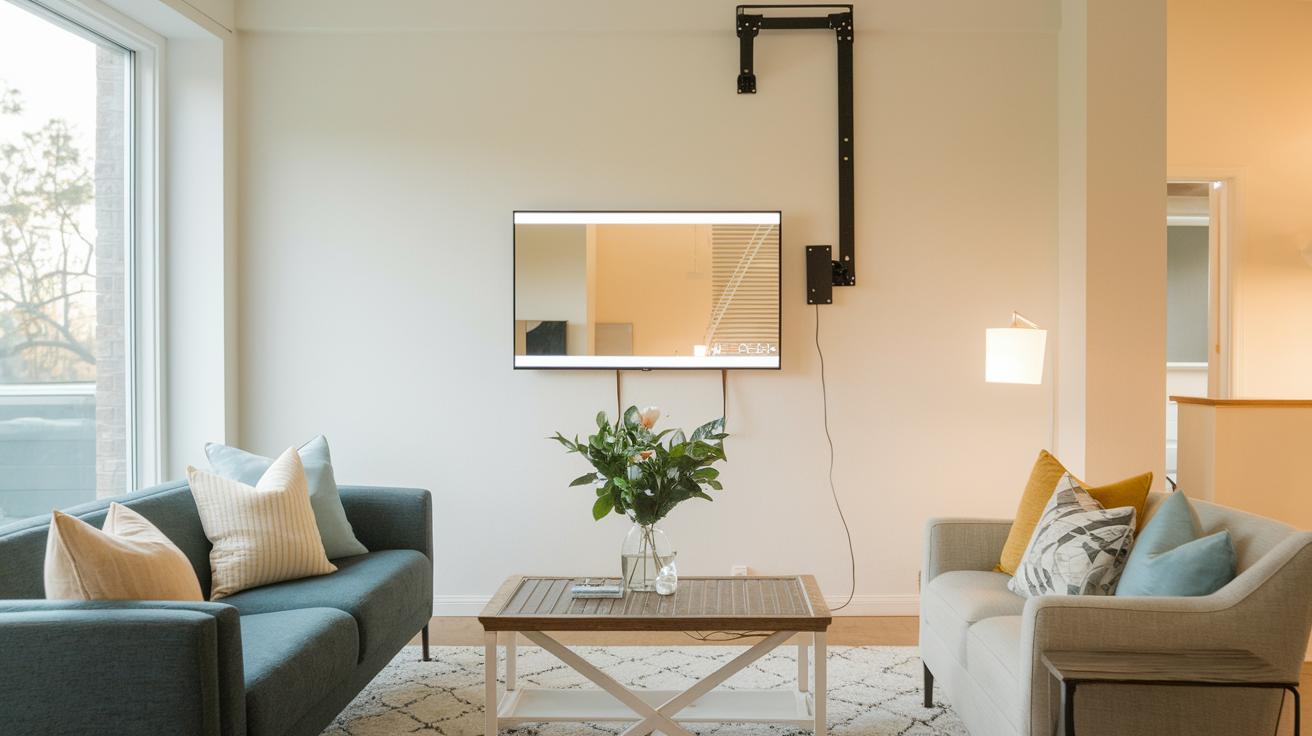
Secure your smart mirror, which weighs nearly 40 lb (18 kg), by mounting it with a heavy-duty articulating TV bracket fastened firmly into studs. This setup not only provides a solid, secure foundation for your reflective display but also primes it for a smart, app-enabled home experience.
Next, launch the mirror’s software in Node.js kiosk mode on MagicMirror2 for an innovative digital vanity setup. Tinker with the config.js file to add, remove, or adjust modules, whether you need calendars, weather updates, or custom feeds. For more in-depth tweaks, simply use SSH to update modules, keeping your system current without hassle. This hands-on customization lets you craft an interface just the way you like it, from a clean, minimalist dashboard to a feature-rich media hub.
On the hardware side, gently clean the two-way mirror with non-abrasive wipes to avoid streaks or damage. Check the LED strip connections through the accessible panels to maintain smooth, consistent backlighting and prevent flickering. A quick inspection of the mounting bracket and wiring now and then helps sidestep wear and potential hazards, ensuring your mirror remains a secure and stylish centerpiece.
Regular maintenance, both hardware and software, guarantees that your smart mirror not only stays on the cutting edge but also operates smoothly day in and day out.
Final Words
In the action, this article walked through the basics of a smart mirror, highlighting its reflective display tech, core functions, and practical home automation benefits. It detailed both commercial models and DIY options, explored key features like voice commands and LED lighting, and offered guidance on specs, installation, and upkeep.
We hope these insights spark creativity in your tech setup, making your day-to-day routines smarter and even more enjoyable.
FAQ
What is the SMART Mirror link?
The SMART Mirror link refers to the connection point that integrates your mirror with online resources and settings, enabling real‐time updates and modular customization for an interactive display.
What is the SMART Mirror app?
The SMART Mirror app acts as an interface for managing modules, adjusting settings, and connecting your mirror with voice commands, offering a streamlined control experience for your smart display.
How can I build a smart mirror using Raspberry Pi?
Building a smart mirror with Raspberry Pi involves using MagicMirror2 software with a two‐way display, integrating hardware components to create a personalized, interactive reflective display.
What does a smart mirror project involve?
A smart mirror project involves combining a reflective surface with a digital display to show calendars, weather, news, and more, often including DIY hardware assembly for custom module integration.
What are the benefits of a smart mirror with camera?
A smart mirror with a camera provides enhanced interactivity, such as user recognition and security features, while also supporting functions like health tracking to streamline daily routines.
How do smart mirrors add value to a bedroom setup?
Smart mirrors in the bedroom bring modern flair by displaying personalized information like weather updates, media streaming, and calendar alerts, merging functionality with stylish interior design.
What role does AI play in smart mirrors?
AI capabilities in smart mirrors allow for voice recognition, data personalization, and smart interaction, creating a naturally intuitive interface that adapts to user needs.
Can smart mirrors work with Android systems?
Smart mirrors can integrate with Android systems through app connectivity and wireless screen casting, enabling seamless control and synchronization of content from your mobile device.
What can a smart mirror do?
A smart mirror can display real‐time weather, traffic, news, and calendar updates, stream media, provide fitness data, and support voice‐controlled commands with customizable dashboard modules.
What are the disadvantages of smart mirrors?
Smart mirrors may incur high initial costs, require careful installation, and sometimes face software glitches along with energy consumption issues, which can be challenging for some users.
Are smart mirrors worth it?
Smart mirrors offer convenience, personalized information, and a modern aesthetic; their worth depends on your lifestyle preferences and readiness to invest in advanced home technology.
Can you watch TV on a smart mirror?
You can watch TV on a smart mirror by streaming media through integrated apps, combining practical functionality with a sleek design that transforms your reflection into an entertainment hub.